


The chart below suggests a typical Pharmaceutical/Life Sciences solution for AMMSWEB Each module/option is described below. The primary options suggested are the Audit Trail and Enhanced Security or SSO to assist in compliance with FDA 21 CFR Part 11 requirements. Audit Trail tracks changes to critical records, and enhanced security/SSO provide for password security.
 |
|
|
|
|
|
 |
|
||||
 |
 |
 |
 |
 |
|
 |
 |
|
|||
 |
 |
|
|||
 |
 |
|
|||
 |
 |
|
|||
 |
|
||||
| Equipment Management / Inventory & Purchasing | Core modules of AMMSWEB. Read more about these modules here. |
| User Customization | The User Customization System (UCS) makes AMMS the most flexible CMMS / EAM solution on the market, allowing for customized data entry screens, reports, forms, data import/export interfaces and much more. Read more about UCS here. |
| Audit Trail / Enhanced Security / SSO | MicroWest Software worked closely with large Pharmaceutical, Bio-Tech and Life Sciences companies to develop features to help make AMMSWEB meet FDA 21 CFR requirements. 21 CFR Part 11 is a final rule dealing with Electronic Records per the Department of Health and Human Services Food & Drug Administration Code of Federal Regulations (CFR) - 21 CFR Part 11 dated March 20, 1997. MicroWest's Audit Trail is viewed by many companies as well ahead of its competitors. Audit Trail includes a human-readable, non-editable record of all activities and changes related to critical components, procedures and security, with enhanced security, such as intruder lockout, automatic logout after idle time, and scheduled password changes. MicroWest does not perform validation services. Validation is performed by the customer, who may use a 3rd-party Validation company. It is the customer's responsibility to validate the software and their process as defined by their own internal Standard Operating Procedures. |
| Calibration | The Calibration option allows for regular testing of instruments and other devices using up to five different standards. It also stores information and data associated with those tests for later reference and evaluation. The Calibration option in combination with the User Customization option allows for the creation of user specific calibration forms and certificates, adjustment of calibration window headings which match user terminology, and adjustment of calibration data output to other programs for analysis. |
| Imaging | Allows for attaching and printing images and documents such as scanned drawings, CAD drawings, MS Word documents, etc. to Work Orders, Equipments, Parts, Purchase Orders, etc. |
| Work Request | Provides a Table for Work Requests which must be approved before becoming Work Orders. |
| Web Request | Web Request allows anyone to submit a Work Requests as well as view status of Requests via a web browser. The Web Request Option allows unlimited Requesters |
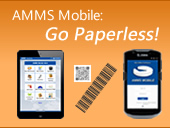
| AMMS Mobile / Barcoding | AMMS Mobile Web is designed for Tablets and Smartphones. Specialized Barcode Readers with AMMS Mobile APP is also available. The AMMS Mobile APP can work Off-Line Both applications can create Work Orders, view Equipment, Issue parts, check out tools, track assets, perform meter readings, and much more. The on-line/wireless AMMS Mobile WEB updates the database in real time, and can access information live from AMMS. The Mobile APP can work on-line or off-line, once on-line they can synchronize with AMMS. With barcoding, you can create barcode labels for Equipment numbers, Part numbers, Room numbers, etc. which you can then scan to make data entry quick and precise. |




 © 2026 MicroWest Software Systems, Inc. All Rights Reserved.
